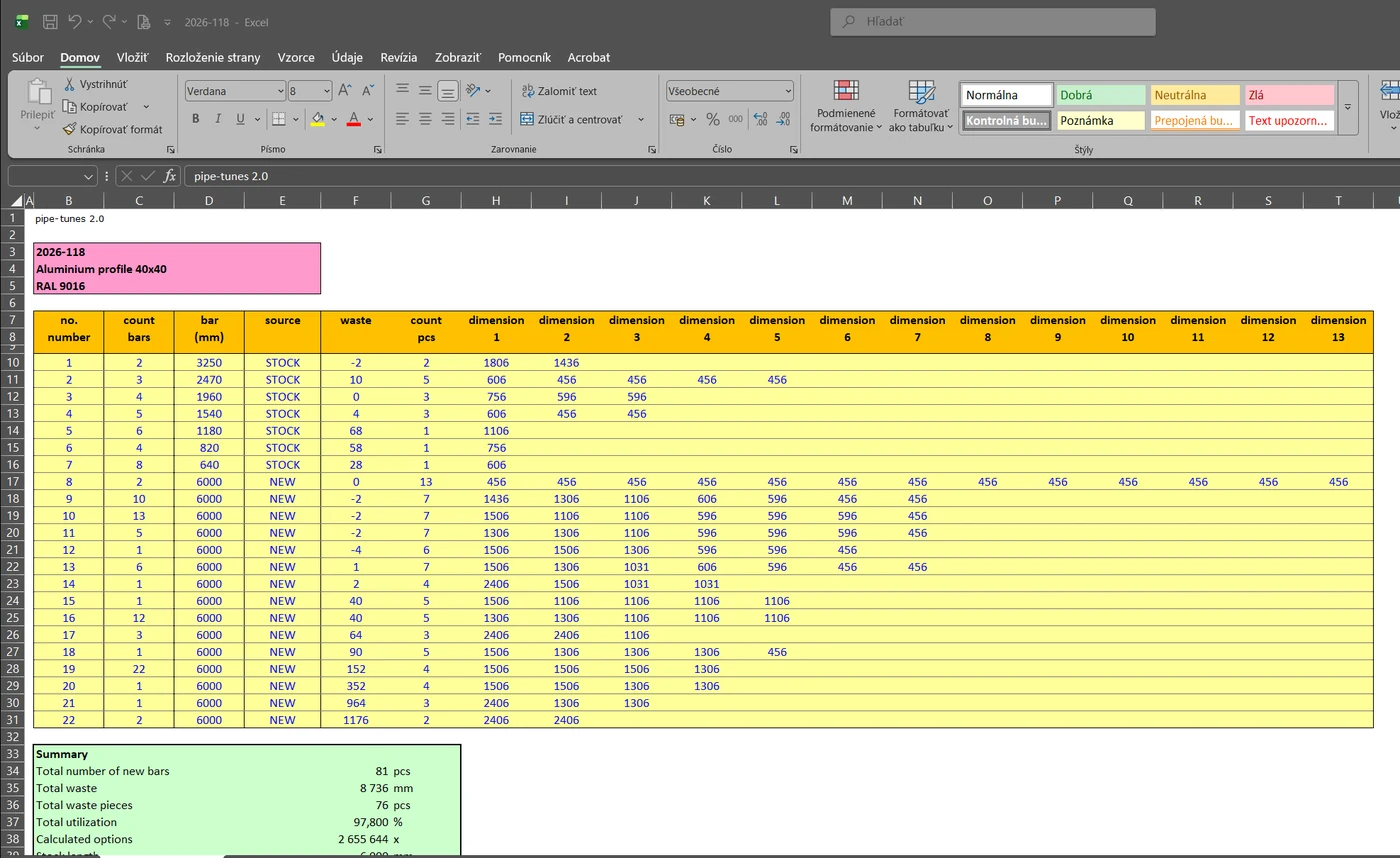
Cutting plans for production from bar stock
Pipe-tunes is designed for manufacturers who cut parts of different sizes from bars of a single length – windows and doors, window sills, stainless steel and aluminium structures, tubes. The program calculates how to distribute the parts across the bars with the least possible waste, and pays for itself within a few weeks.
Optimisation
You can choose between three calculation methods. Optimisation and BestFit deliver a result instantly, while MAX tries several methods and ways of using stock and picks the best result.
- bar length and kerf to match your saw
- trim cut at the start of the bar – if the bar end needs squaring off first
- maximum waste to discard – shorter pieces are waste, longer ones go into stock
- theoretical minimum number of bars – see how close the result is to the optimum
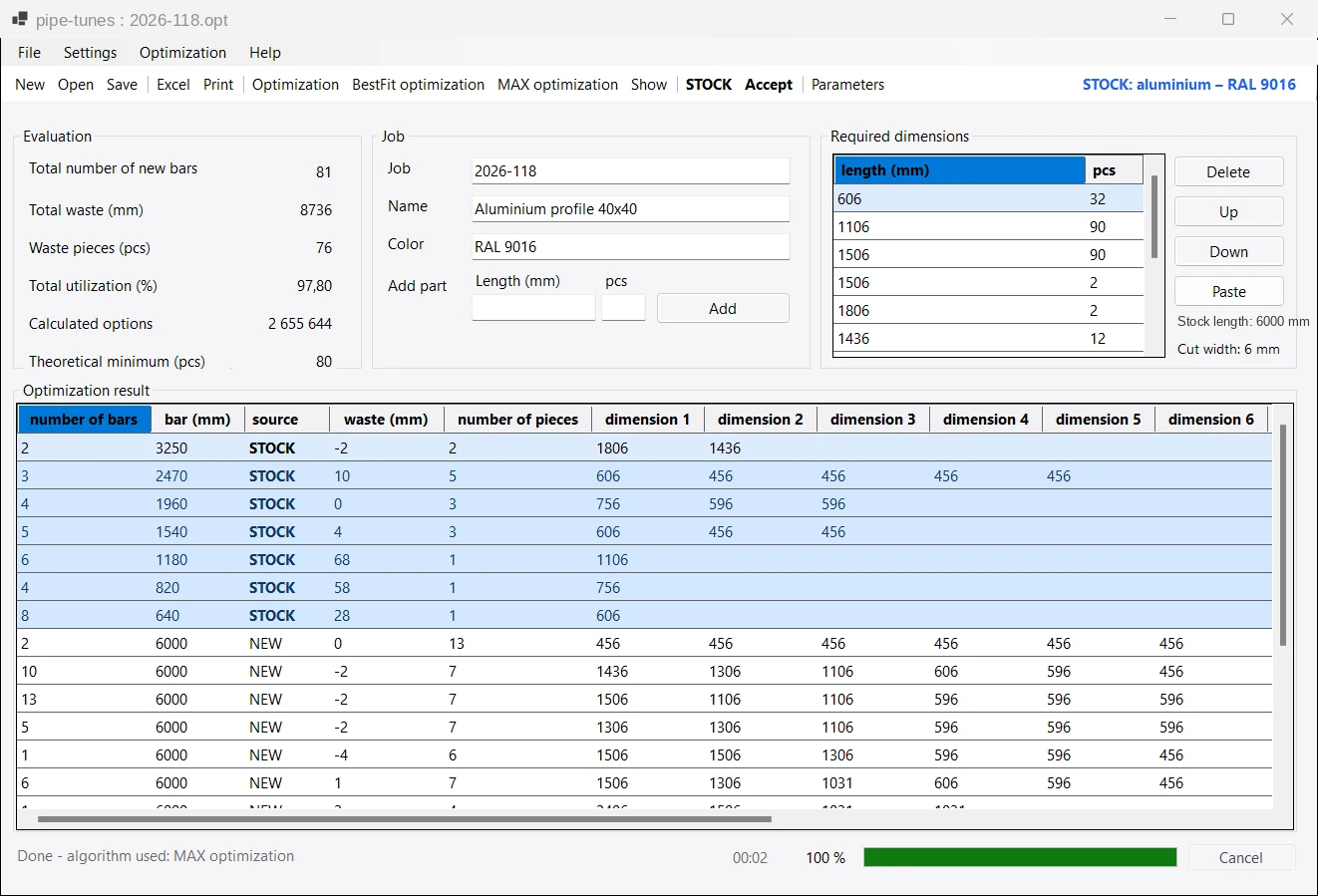
Offcut stock
Longer offcuts no longer end up in a corner of the workshop. The program records them in stock and uses them first on the next job – new bars are only used after that.
- multiple stock locations, for example by material or profile
- after cutting, the Accept button deducts the pieces used
- confirm each new offcut individually, with a note
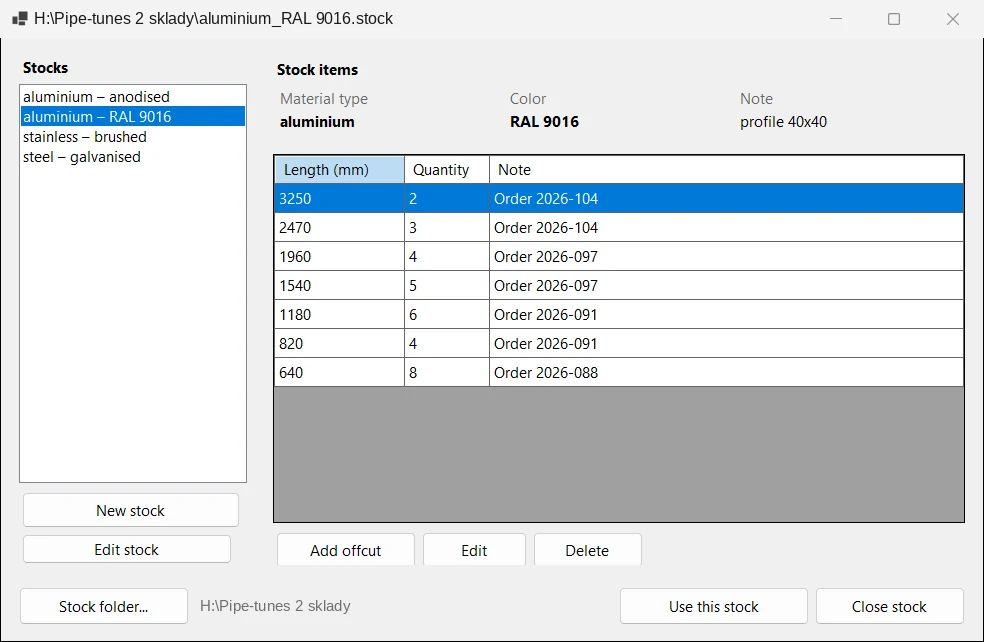
Graphical cutting plan
The Show button opens the cutting plan, where every bar is drawn with its parts, offcut and waste. Identical bars are merged, so the plan stays short and clear.
- tick off finished bars right on the screen
- print the plan for the workshop
- the same plan in a separate Excel sheet
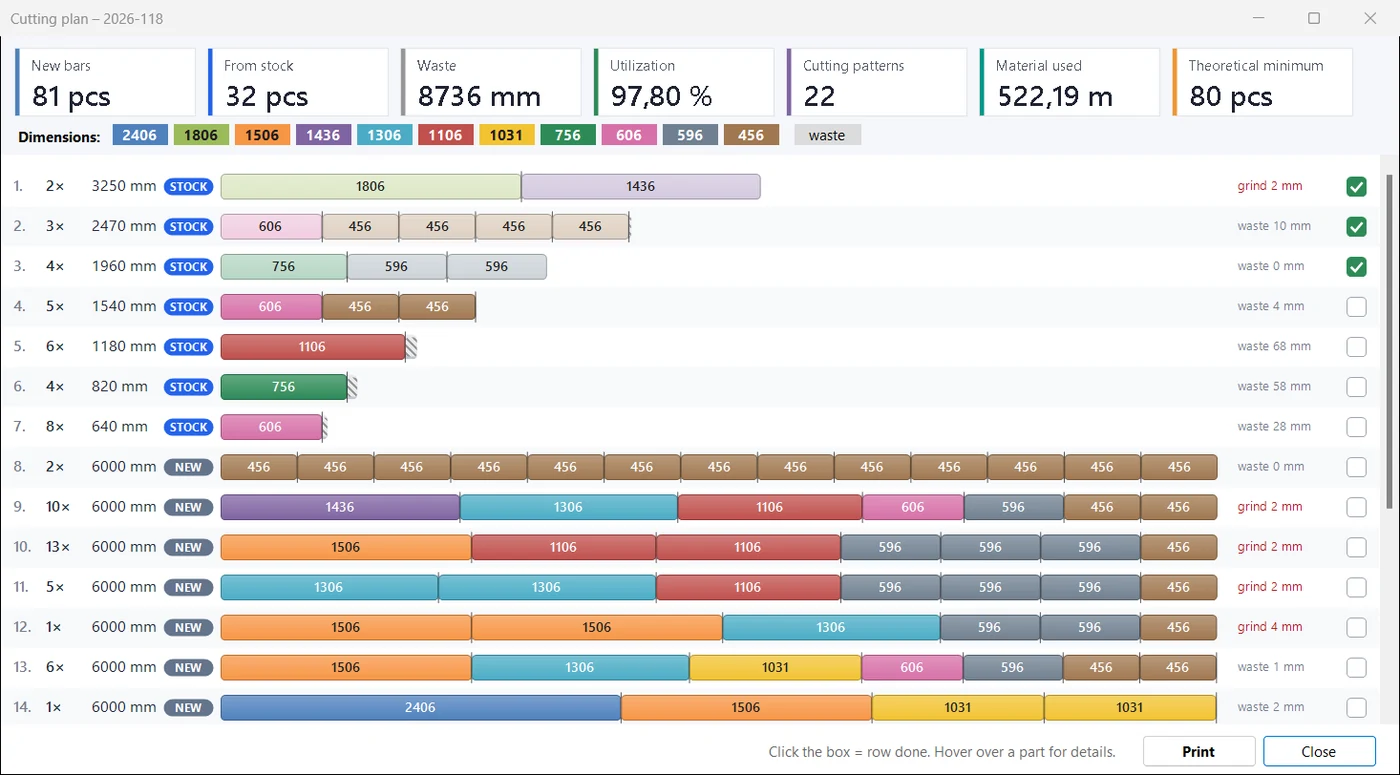
Excel, printing and jobs
Send the result to production in Excel or print it. For every job it is clear what to take from stock, what to return to it and what to throw away.
- Excel opens with a single click
- material consumption in metres (including started metres for material sold by the metre)
- save jobs and open .opt files with a double-click
- recently opened jobs in the menu
- paste dimensions from the clipboard, for example from Excel
- warning about unsaved changes and validation of entered values
Languages
Slovak, Czech, English, German, Dutch, Hungarian and Polish. You can switch the language in the program at any time.
System requirements
- Windows 10 or 11, 64-bit
- Microsoft Excel or a compatible program to open the export
- internet only for licence activation (offline activation also possible)
Licence
A perpetual licence without a USB dongle. You receive the key by e-mail and activate it on your computer. For another computer (at home, for example) you can buy an additional licence at a reduced price.
Version 1.3.4 and 2.0
| Feature | 1.3.4 | 2.0 |
|---|---|---|
| Copy protection | USB dongle by post | licence key by e-mail |
| Working at the office and at home | carrying the USB dongle around | additional licence at a reduced price, nothing to carry |
| MAX optimisation | – | yes |
| Offcut stock | – | yes |
| Graphical cutting plan | – | on screen, in print and in Excel |
| Paste from clipboard | – | yes |
| Languages | 5 | 7 |
| Windows | 32-bit | 64-bit, Windows 10 and 11 |